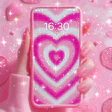
Glitter Wallpapers For Girls
o16i AppsPersonalization
4.8129.00 Reviews
- Version
- 5.1.0
- Installs
- 1.00M
- Age Rating
- Everyone
Screenshots

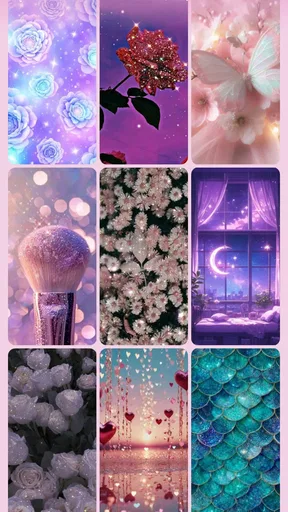

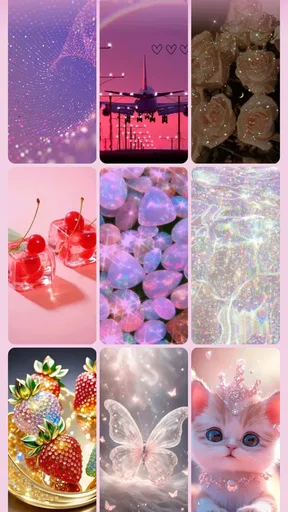
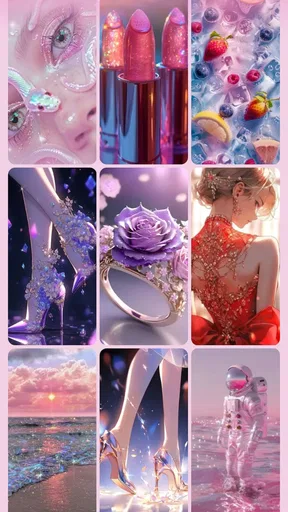
Our Review of Glitter Wallpapers For Girls
 Analysis by Appyee
I usually change my wallpaper when I want my phone to feel a little more personal, but choosing one is only half the job: it also has to look good behind icons and remain easy to live with day after day. Glitter Wallpapers For Girls is aimed at people who want glitter-led backgrounds rather than a broad mix of unrelated styles. I found it most useful as a focused source of decorative ideas, though the best result still depends on picking a design that suits your screen and your habits.
Where a wallpaper app can feel less simple
The main decision is not simply whether a design sparkles. A vivid background can look lovely in a preview and become visually busy once app icons and widgets sit on top of it. I’d check the design against the parts of your home screen you use most: if the dock or clock would disappear into a bright pattern, a softer or less crowded image is likely to work better.
It also helps to judge a wallpaper at the size and crop your phone actually uses. A decorative detail near an edge may be cut off, while a central motif can end up hidden behind icons. Before settling on a favorite, I’d look at the full image and consider where the phone’s status information and shortcuts will sit. That small check can save the annoyance of choosing a pretty background that makes the screen harder to read.
If you are unsure which style will suit you, start with a calmer palette rather than the most intense glitter effect. It is easier to live with a design that adds color without competing with every icon. Then compare it with a bolder option; the difference is clearer when you imagine using the screen for quick everyday tasks, not just admiring the wallpaper by itself.
Setup checks before choosing a design
This is a personalization app from o16i Apps, and it is free to install. Its age rating is Everyone, and it has a 4.9 average from around 17,000 ratings, with more than a million installs. It first appeared on May 20, 2021, and version 5.1.0 is listed for devices running Android 8.0 or later. Optional in-app purchases are available, with item prices ranging from $0.99 to $99.99.
Those purchase options are worth keeping in mind if you are browsing casually: I would first decide whether the free selection already gives you the look you want, rather than treating paid content as necessary. The app’s central appeal is the themed style, so the sensible test is whether you can find a background you would genuinely keep. A purchase only makes sense if the specific extra choice is worth it to you.
After selecting an image, take a moment to check how it appears on the home screen as well as the lock screen, if you plan to use it in both places. A wallpaper that works behind a sparse lock screen may be too lively beneath a full grid of apps. I’d also make sure the chosen image is applied where you intended before leaving the settings flow; a quick glance at both screens is easier than wondering later why the change seems incomplete.
Recovering from a confusing result
If a wallpaper does not look the way you expected, I would work through the simple checks first. Reopen the design, confirm that you chose the image you meant to use, and inspect the home and lock screens separately. If the crop is awkward, try a different design with more open space rather than repeatedly applying the same image and hoping its framing changes.
When an image looks right in the app but not on the phone, check the device’s wallpaper controls and the screen where you applied it. The exact labels and steps can vary across phones, so I would follow the options shown by your own device rather than assume every Android interface behaves identically. If the app seems slow or unresponsive, closing and reopening it is a reasonable first step; I would avoid changing several settings at once, because that makes it harder to tell what fixed the problem.
When the app is not the cause
Not every disappointing result points to a problem with the wallpaper app. Icons, widgets, screen brightness, and the phone’s display settings can all affect how a design feels in use. A detailed glitter pattern may be attractive on its own but distracting behind text or shortcuts. In that situation, choosing a less busy image is more practical than expecting the wallpaper to improve the visibility of the rest of the screen.
There is also a difference between wanting a decorative background and wanting a complete home-screen redesign. If your priority is arranging icons, changing widgets, or building a coordinated interface, a dedicated launcher or a broader customization tool may fit better. This app is a narrower choice for people who mainly want glitter-themed wallpaper options, not a reason to replace every part of their phone’s appearance.
A Sparkly Experience
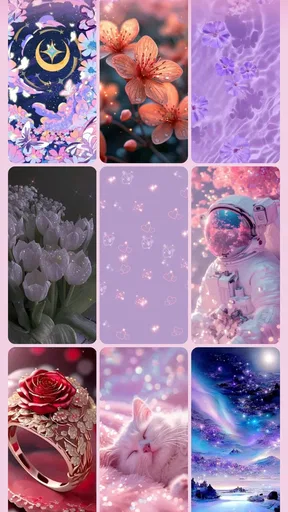
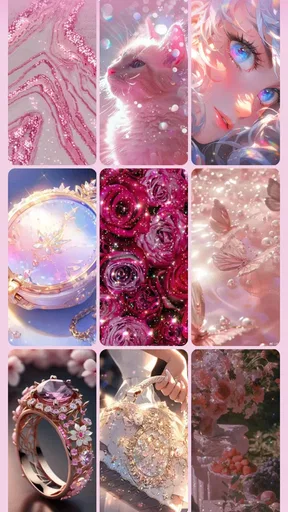
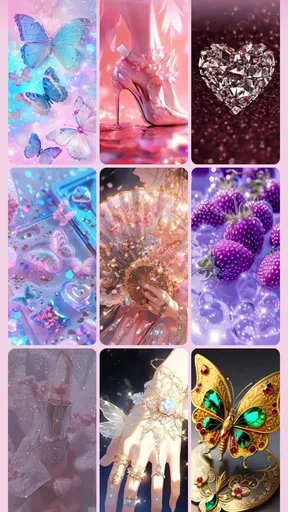
The first thing that struck me about Glitter Wallpapers For Girls is the sheer variety of wallpapers available. From dazzling pinks and purples to subtle pastels with a hint of glitter, there’s something for everyone. I spent a good hour just scrolling through the options, mesmerized by the glimmering designs. You can almost feel the texture of the glitter just by looking at them.
Easy Navigation
The app’s design is refreshingly simple and user-friendly. You don’t need to be tech-savvy to navigate through it. With an intuitive interface, finding your perfect wallpaper is just a few taps away. I loved how the categories are neatly organized, making it easy to find exactly what you’re looking for, whether it’s a floral pattern or a geometric design with a glittery twist.
Customization Options
One of the standout features of this app is the customization options. Not only can you choose from a wide array of pre-designed wallpapers, but you can also tweak them to your liking. Want to add a little more sparkle or change the hue? No problem! The app allows for a personal touch, making your wallpaper unique to you. I had a blast playing around with different color combinations and glitter intensities.
Seamless Performance
Performance-wise, the app runs smoothly without any hiccups. I didn’t experience any lag or crashes during my time using it, which is a huge plus. It’s lightweight, so it doesn’t hog your phone’s resources, keeping your device running efficiently. This seamless performance makes the whole experience hassle-free and enjoyable.
Accessibility and Updates
Another thing worth mentioning is how regularly the app gets updates. New wallpapers are added frequently, ensuring that you always have fresh designs to choose from. Plus, the app is accessible to both Android and iOS users, so no one misses out on the glitter fun. It’s free to download, with some optional in-app purchases if you want to unlock premium designs.
Why You’ll Love It
So, why do I think you’ll love this app? Well, if you’re someone who loves a bit of sparkle in your life, this app is a game-changer. It’s perfect for adding a touch of personality and pizzazz to your phone. Whether you’re a fan of bold, eye-catching designs or prefer something more understated, there’s a glitter wallpaper waiting for you.
In conclusion, Glitter Wallpapers For Girls is not just an app; it’s a gateway to a world of creativity and sparkle. It’s fun, easy to use, and offers endless possibilities for customization. If you’re looking to refresh your phone’s look with a bit of magic, this app is definitely worth a download. So go ahead, unleash your inner sparkle and let your phone shine!
How it fits an everyday routine
I can see this working well when you want a quick visual reset without reorganizing the whole phone. For example, after changing a case or clearing a crowded home screen, you could browse for a glitter design that echoes the colors you already use. A subdued pastel can give the screen a coordinated feel, while a bright pink or purple choice makes the wallpaper itself the main decoration. The useful distinction is whether you want the background to support your icons or become the first thing you notice.
For someone who likes changing themes with the seasons, outfits, or personal mood, a dedicated glitter collection offers a more focused starting point than searching a general image gallery. A general wallpaper source may have more subject variety, but it can take longer to find the specific shiny look you came for. Conversely, if you often switch between landscapes, photographs, minimalist art, and abstract designs, a broader wallpaper app is probably the better everyday home.
Small choices that make the result work
One practical approach is to choose the wallpaper after arranging your most-used icons, not before. That gives you a better sense of which areas need visual breathing room. If the design feels crowded, move only a few shortcuts or try a calmer image; changing the entire layout to accommodate one background can create more work than the decoration is worth.
I would also keep a note of what you liked about a design—its color, glitter density, or amount of empty space—before browsing again. That makes it easier to choose consistently if you are trying to coordinate the home and lock screens. The trade-off is that a highly matched pair can feel polished but may be less flexible if you frequently change icons or widgets. A single versatile background is often the easier choice for a phone you use for work and personal tasks alike.
For readability, test the wallpaper in ordinary conditions rather than only while browsing. Look at the screen with the brightness you normally use and check whether notification text and app labels remain comfortable to see. If they do not, a more muted design is a better fix than continually adjusting your display around a background. Glitter is the point here, but it should not make routine actions harder.
Who should choose it—and who might not
I’d recommend it to someone who already knows they enjoy glitter aesthetics and wants a simple way to find backgrounds in that lane. It also suits people who treat wallpaper as a small, low-effort way to personalize a device, rather than a project involving custom icon packs and carefully built layouts. The combination of a free starting point and optional purchases lets you explore the style before deciding whether extra choices are worth paying for.
I would skip it if you prefer photographic wallpapers, clean monochrome backgrounds, or a full theme system that coordinates icons, widgets, and menus. The focused style is a benefit for the right person, but it is also the main limitation: a glitter collection cannot replace the range of a general wallpaper library. It may also be a poor match if visual sparkle behind text tends to distract you. In that case, a plain background or a subtle texture will usually be more comfortable.
My practical verdict
My recommendation is to try it when you want a glitter-centered wallpaper selection and are happy to judge each image on your actual screen. Start with a design that leaves room around icons, check both screens if you plan to use it in both places, and only consider optional purchases after you know the free choices suit your taste. That simple process avoids the most common frustration: liking a preview but not liking the way it works as part of the phone.
For me, the app’s value is in its clear decorative focus, not in promising a complete makeover. It is a reasonable choice for a quick burst of color and personality, while users who need broader styles or deeper home-screen control should look elsewhere. If you enjoy glitter and want your background to show it, this is an easy option to explore; if you mainly want a quiet, highly readable screen, a more restrained wallpaper source will serve you better.
Verdict
Strengths of Glitter Wallpapers For Girls
- Vibrant and high-resolution images.
- Easy-to-use interface for navigation.
- Regular updates with new wallpapers.
- Wide variety of themes and styles.
- Lightweight app, doesn't drain battery.
Limitations of Glitter Wallpapers For Girls
- Contains frequent ads during use.
- Limited customization options.
- No offline mode for downloading.
- Some wallpapers require in-app purchases.
- Occasional slow loading times.
Other Releases by o16i Apps
View All
Send My Location - GPS Tracker
Maps & Navigation4.5

Beauty Camera: Selfie Editor
Beauty4.1

Mirror App - Makeup Mirror
Beauty4.6

Volume Booster:Sound Amplifier
Music & Audio4.5
Similar Picks in This Category
View All
Microsoft SwiftKey AI Keyboard
SwiftKey4.3

Wallpapers
Google LLC4.1

Zedge™ Wallpapers & Ringtones
Zedge4.7

Yandex Browser with Alice AI
Direct Cursus Computer Systems Trading LLC4.3

Ringtone Maker:create ringtone
Big Bang Inc.4.7

Fonts Keyboard
Fonts Keyboard3.9
Frequently Asked Questions
What features does Glitter Wallpapers For Girls offer?
Glitter Wallpapers For Girls provides a wide array of sparkling and vibrant wallpapers specifically designed for those who love a bit of glam on their screens. The app includes an extensive collection of high-quality images, allowing users to easily browse and set wallpapers directly from the app. It also offers customization options to adjust brightness and effects.
Is Glitter Wallpapers For Girls free to use?
Yes, Glitter Wallpapers For Girls is free to download and use. However, it may include in-app purchases or ads to support development. These purchases typically offer additional features or premium wallpapers. Users can enjoy a vast selection of free content without any obligation to make a purchase.
Does the app require an internet connection to function?
While Glitter Wallpapers For Girls can be used offline once wallpapers are downloaded, an internet connection is necessary to access new content and updates. Regular updates ensure users have access to the latest and most dazzling wallpapers. Offline functionality allows for easy access to previously downloaded images.
Is Glitter Wallpapers For Girls suitable for all devices?
The app is designed to be compatible with a wide range of Android and iOS devices. It optimizes wallpapers for different screen sizes and resolutions, ensuring that images look stunning on smartphones and tablets alike. Users should ensure their device meets the minimum requirements for optimal performance.
How can I set a wallpaper from the app?
Setting a wallpaper from Glitter Wallpapers For Girls is straightforward. Users can browse through the gallery, select their preferred image, and tap the 'Set as Wallpaper' option. The app provides a preview feature to see how the wallpaper will look on the screen before applying it. This ensures satisfaction with the chosen design.
